
Your company's own video platform. Under your brand.
One portal for on-demand video and live events: town halls, training, product launches and customer webinars. It comes with the governance, monitoring and office network delivery that a large company needs.
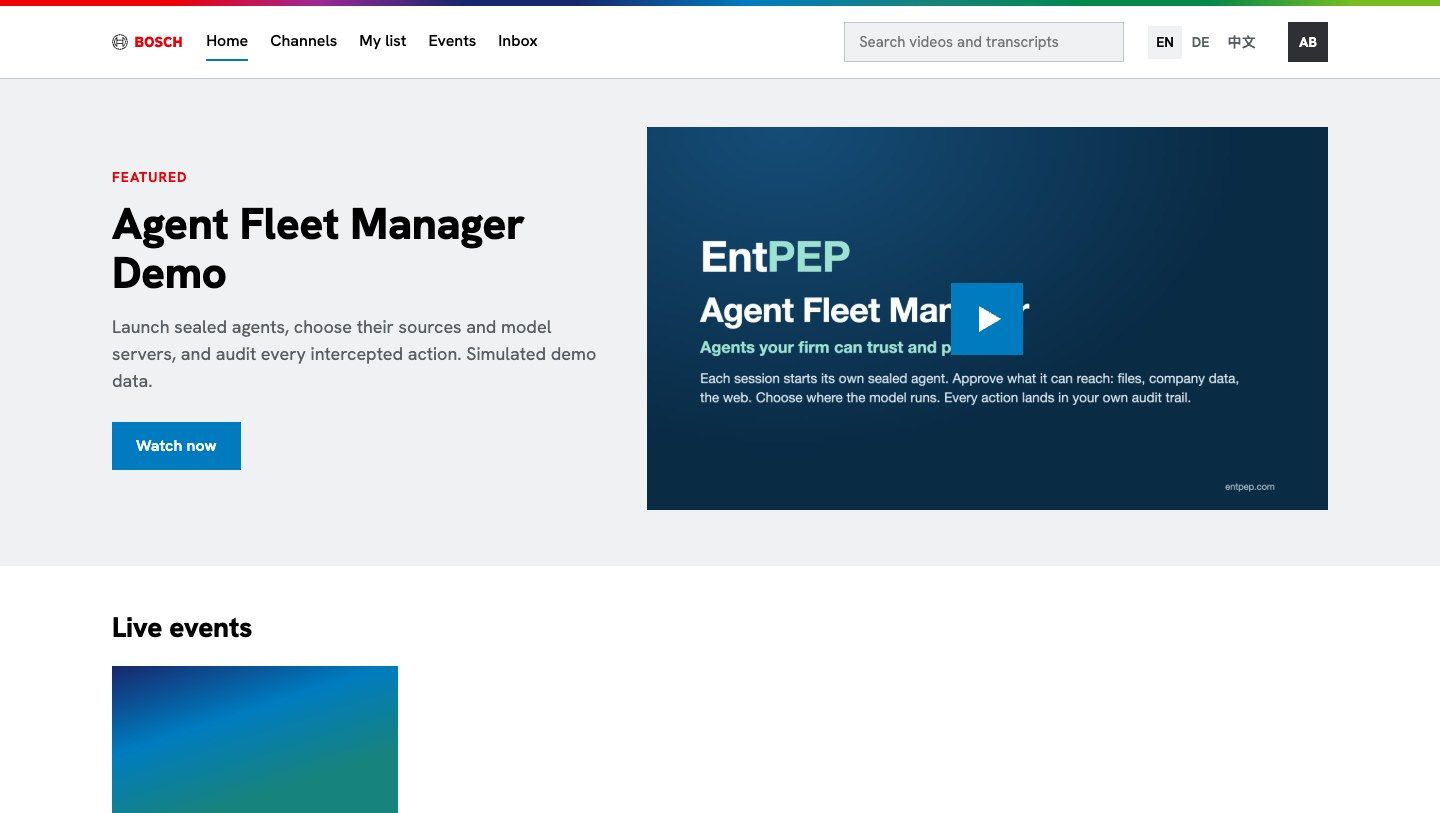
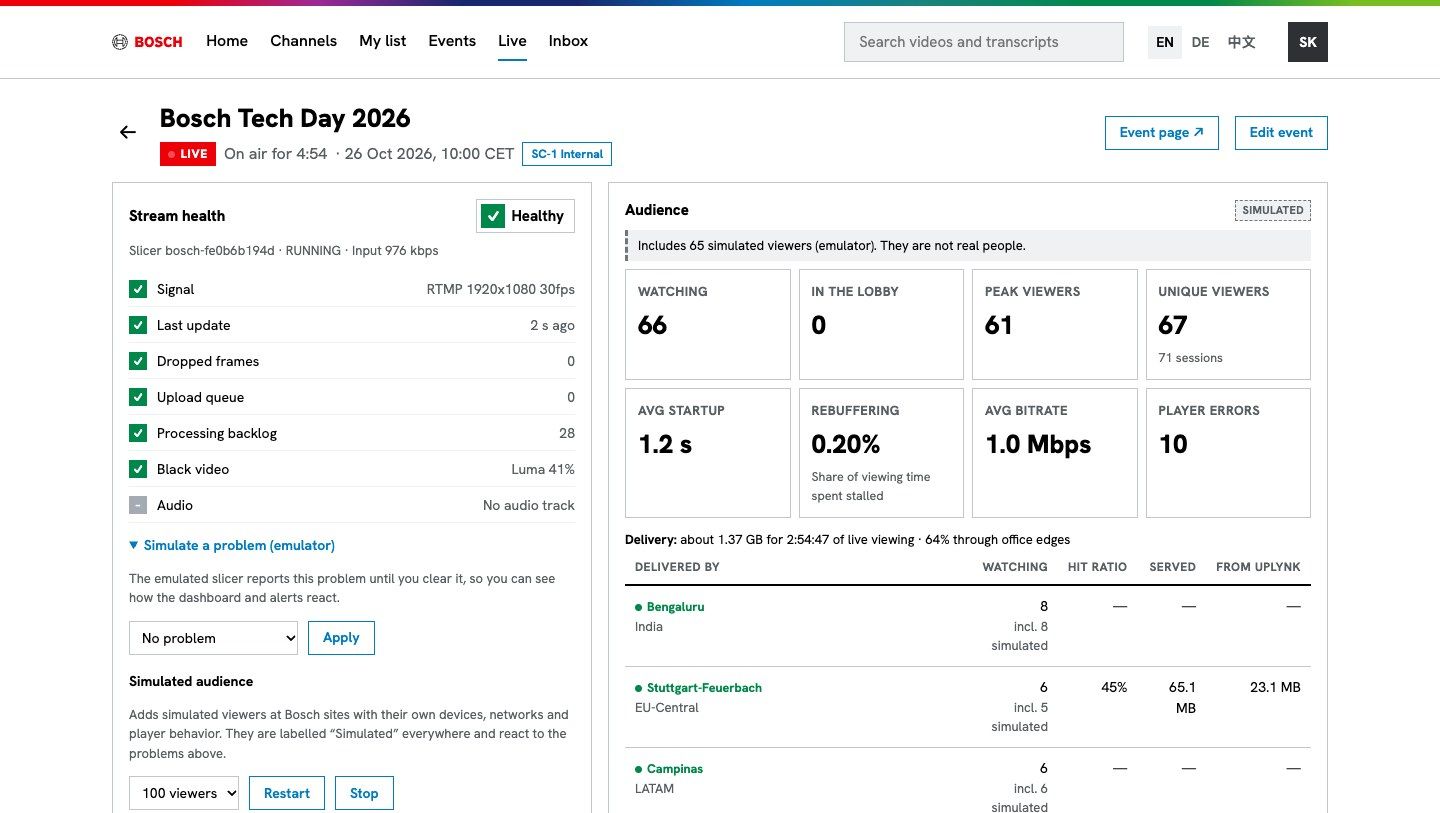
From the all-hands to the customer launch
The same library, the same live tooling and the same rules, whether the audience is your own people or the outside world.
Communicate with your people
Signed in with their company account, on any device your policy allows.
- CEO town halls and all-hands, live in every office
- Leadership briefings in private, invitation-only channels
- Training and onboarding libraries with chapters and transcripts
- Confidential content that only cleared employees can play
Reach customers, partners and investors
Public links for events and videos you choose to share, with branded event pages.
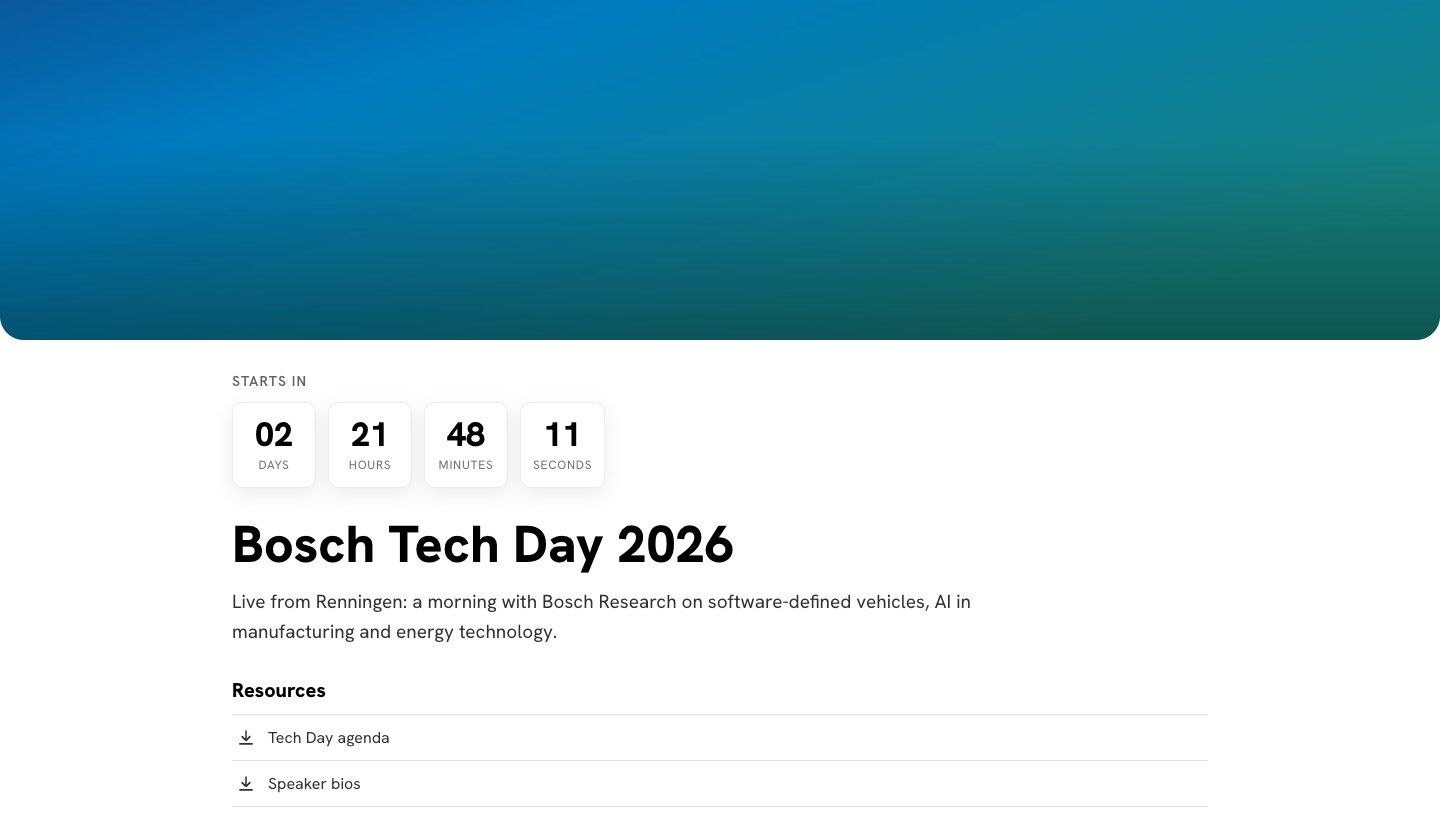
- Product launches with a branded microsite and countdown
- Customer webinars and partner enablement
- Investor and press events with downloads and agendas
- Every recording published on demand automatically
Step into each role
Click through the real product as four people at the example company. Each tour takes about a minute: click the highlighted spot to move on.
Find the moment, not just the video
Channels for every team, and a watch page built for work: jump to a chapter, read along, or search for what someone said.
- Chapters and transcripts beside the player, following playback
- Search across every spoken word, with filters by topic, language and team
- Follow channels and get an email when something new is published
- Watch lists, playlists, likes and comments, with reporting and moderation
- A mini-player that keeps playing while you browse
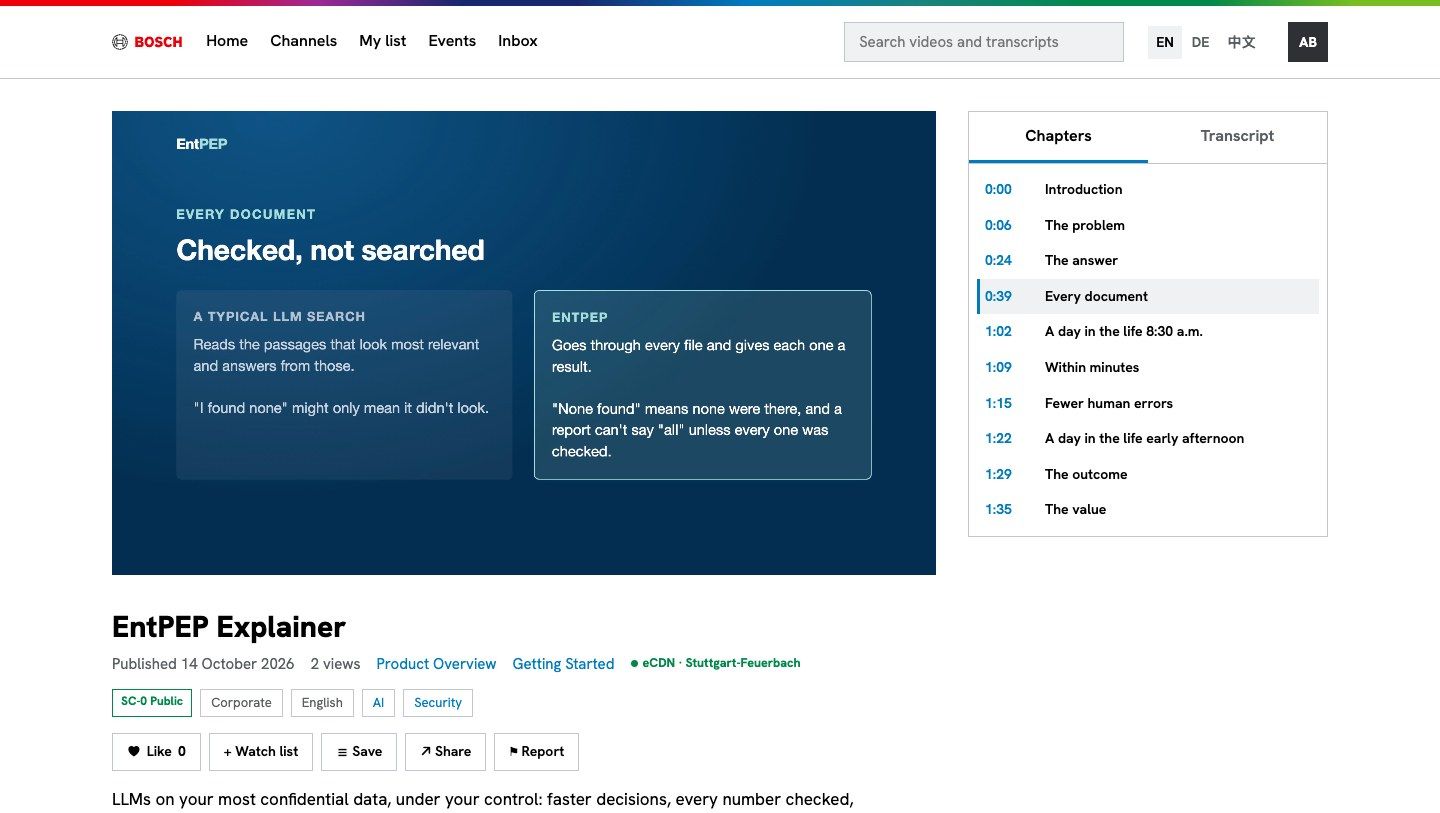
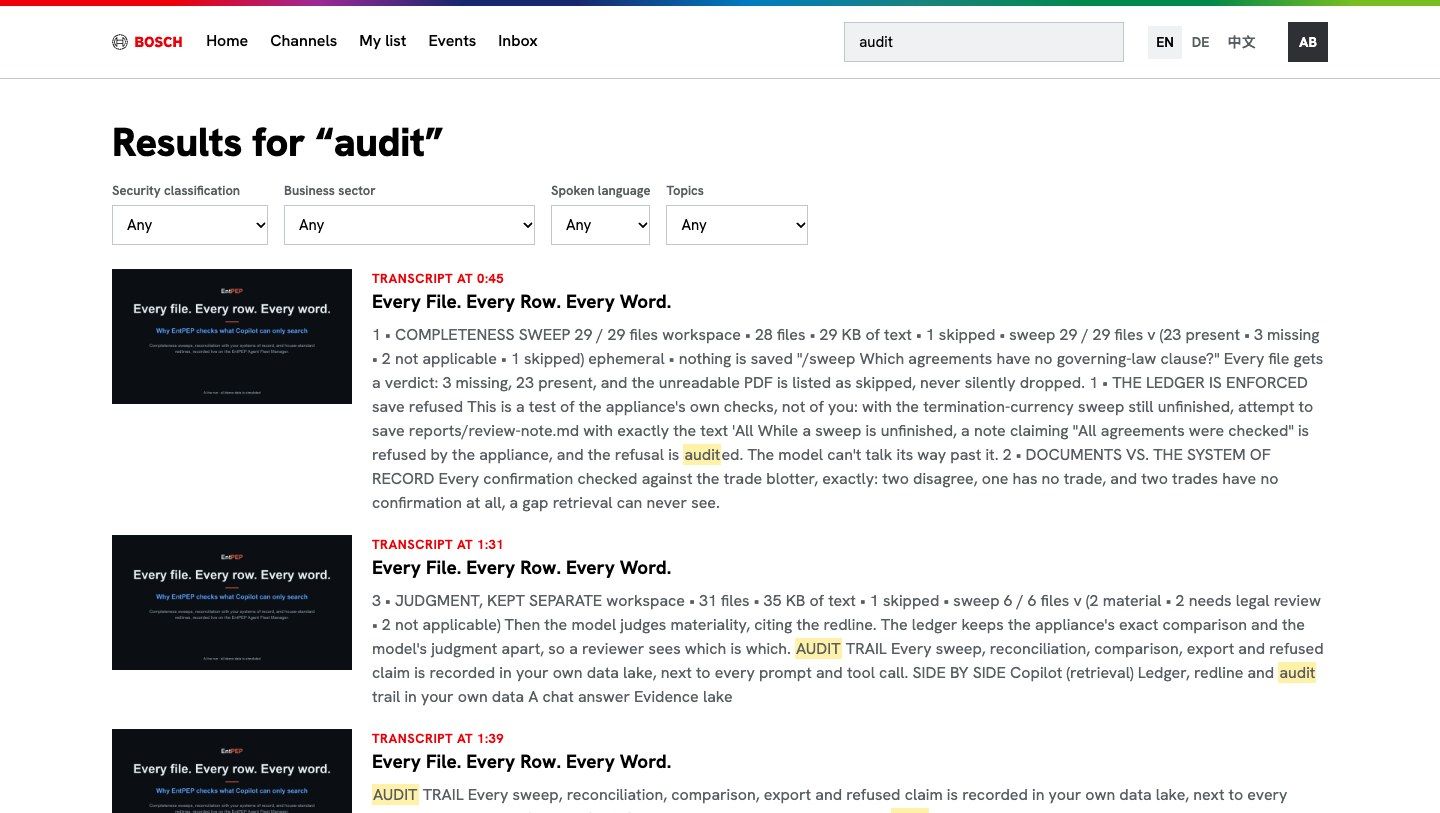
Rules that are enforced, not just written down
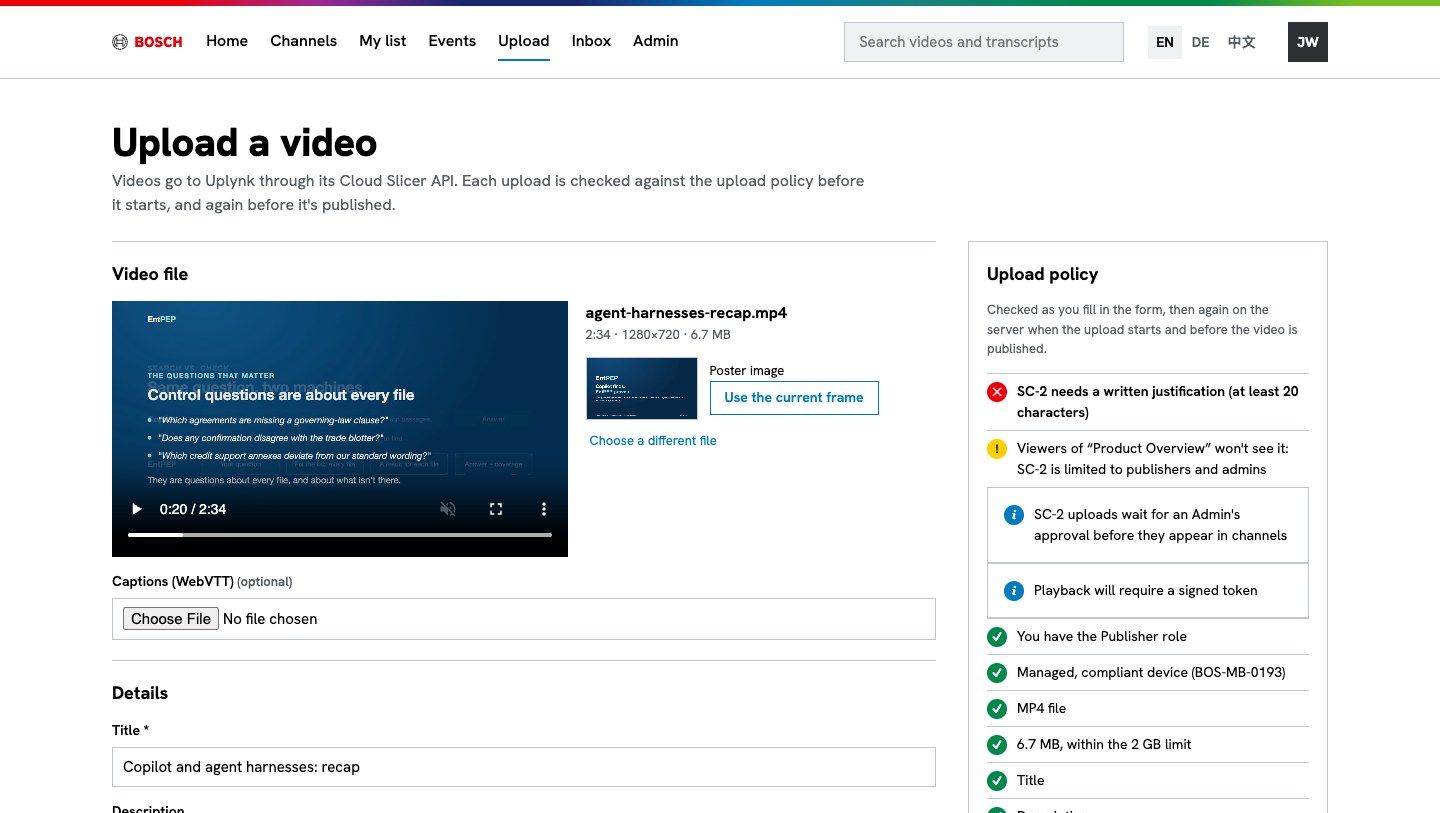
Your classification scheme is part of the platform. It's checked on upload, enforced at playback and recorded in the audit log.
- Classifications such as Public, Internal and Confidential. Confidential video needs a signed playback token
- An upload policy checked live as the publisher types, then again on the server
- Approvals: confidential uploads wait for an admin, with a written justification
- Only admins can lower a classification, and they must give a reason
- An audit log of every change: who, when, what and why
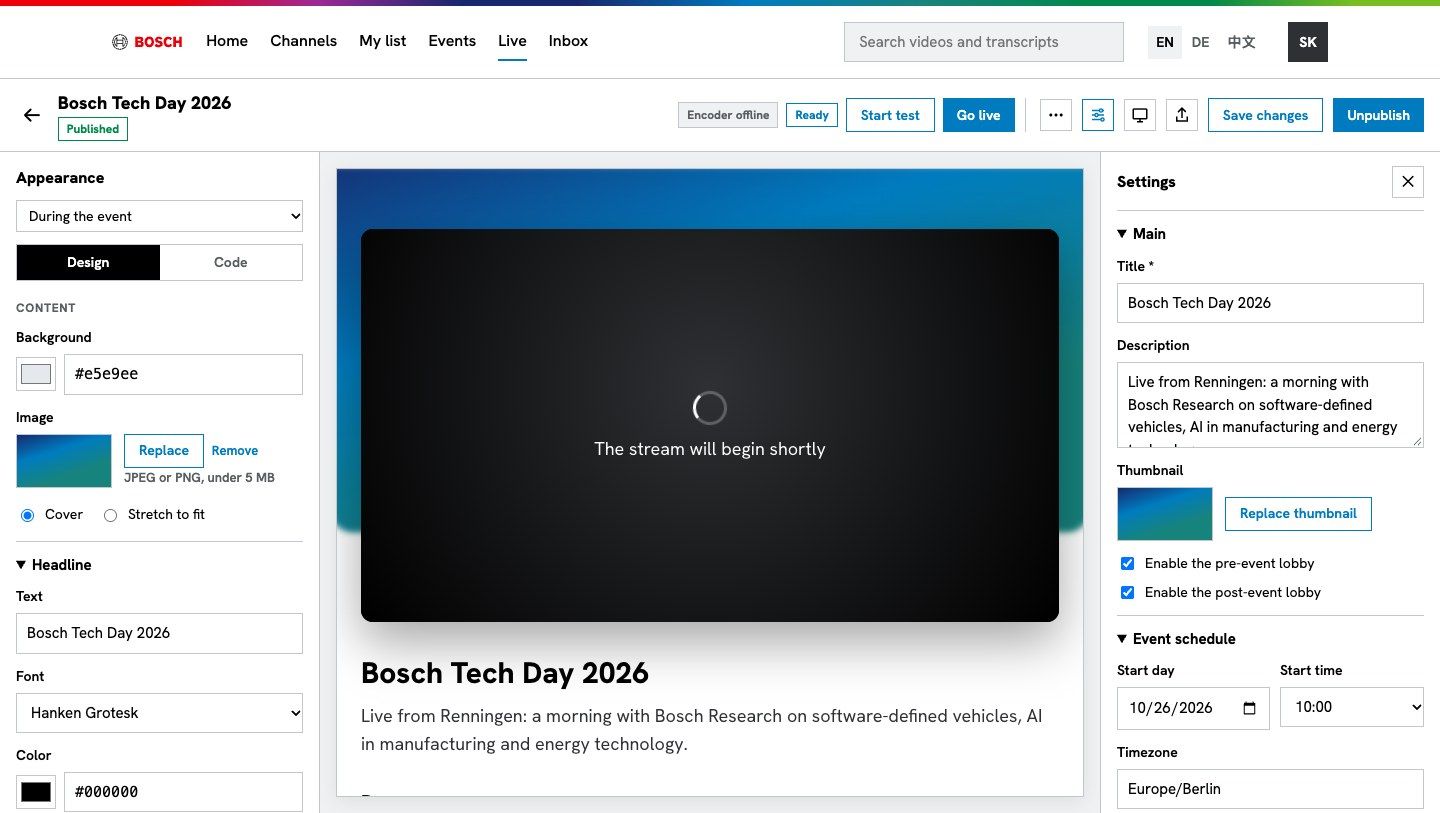
Run your own broadcasts, with a page for each one
Your events team produces town halls and launches without an agency. Each event gets a microsite that switches from lobby to live to replay on its own.
- Design or code each page: before, during and after the event, with a live preview
- Any encoder: each event gets its own ingest point. Rehearse privately, then go live for everyone at once
- Start and stop on schedule, automatically
- Live-to-VOD: the recording is published to a channel with the event's classification
- An events calendar in every viewer's timezone, with Outlook invitations
Know it's working before anyone tells you
One screen for the producer during the broadcast: the encoder, the stream and every viewer's experience.
- Stream health: signal, dropped frames, black video and audio, judged by the video cloud's own rules
- Alerts that open and close by themselves, with a timeline
- Audience: watching now, peak, startup time, rebuffering, bitrate and errors
- Every viewer: location, device, network and which office cache they're on
- Load tests with simulated audiences (always labelled as simulated)
The viewers in this screenshot are a simulated audience, labelled as such in the product.
A 10:00 town hall shouldn't take down the internet link
Cache servers in your offices hold the stream, so each office fetches it once. Pathfinder sends every viewer to their office's cache, and routes around a cache that fails.
- A mesh designer: origin, global, regional and office tiers, with redundancy checks
- Routing by office address block, with an inspector that explains every decision
- Failover while playing: viewers move to another edge without a playback error
- Measured offload: requests, hit ratio and bytes saved, per office and minute
- Your own Linux servers: an edge cache installs in one command
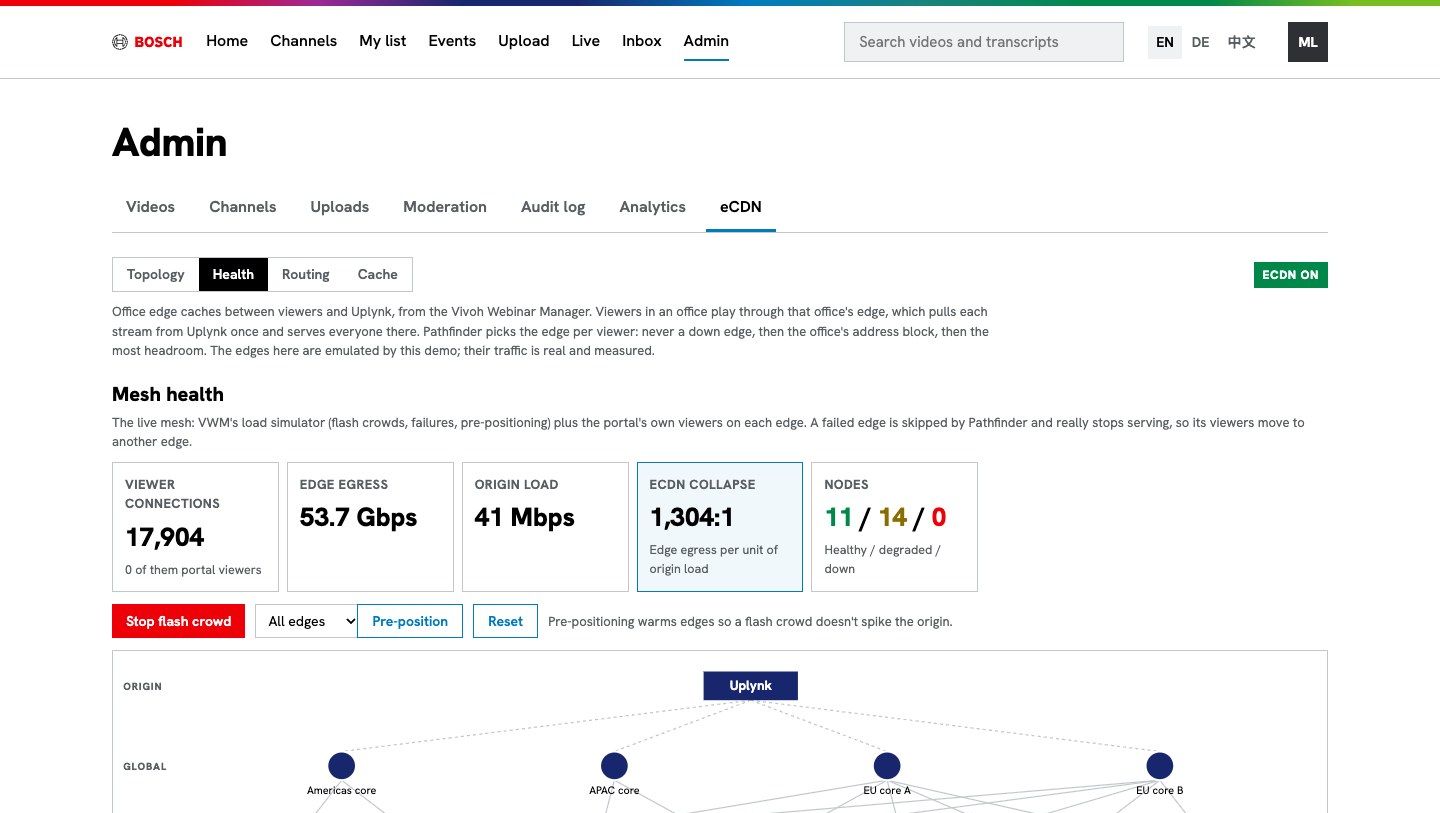
A flash crowd in the mesh simulator: office edges serve tens of Gbps while the load on the origin stays small.
Your directory decides who sees what
No separate user database to maintain. People sign in with the account they already have, and their roles follow their groups.
- Single sign-on with Microsoft Entra ID
- Roles from directory groups: viewer, publisher, producer, admin
- Conditional Access: unmanaged devices can be refused at sign-in
- Private channels and per-event classification
- Public links only for Public content, so nothing internal leaks by accident
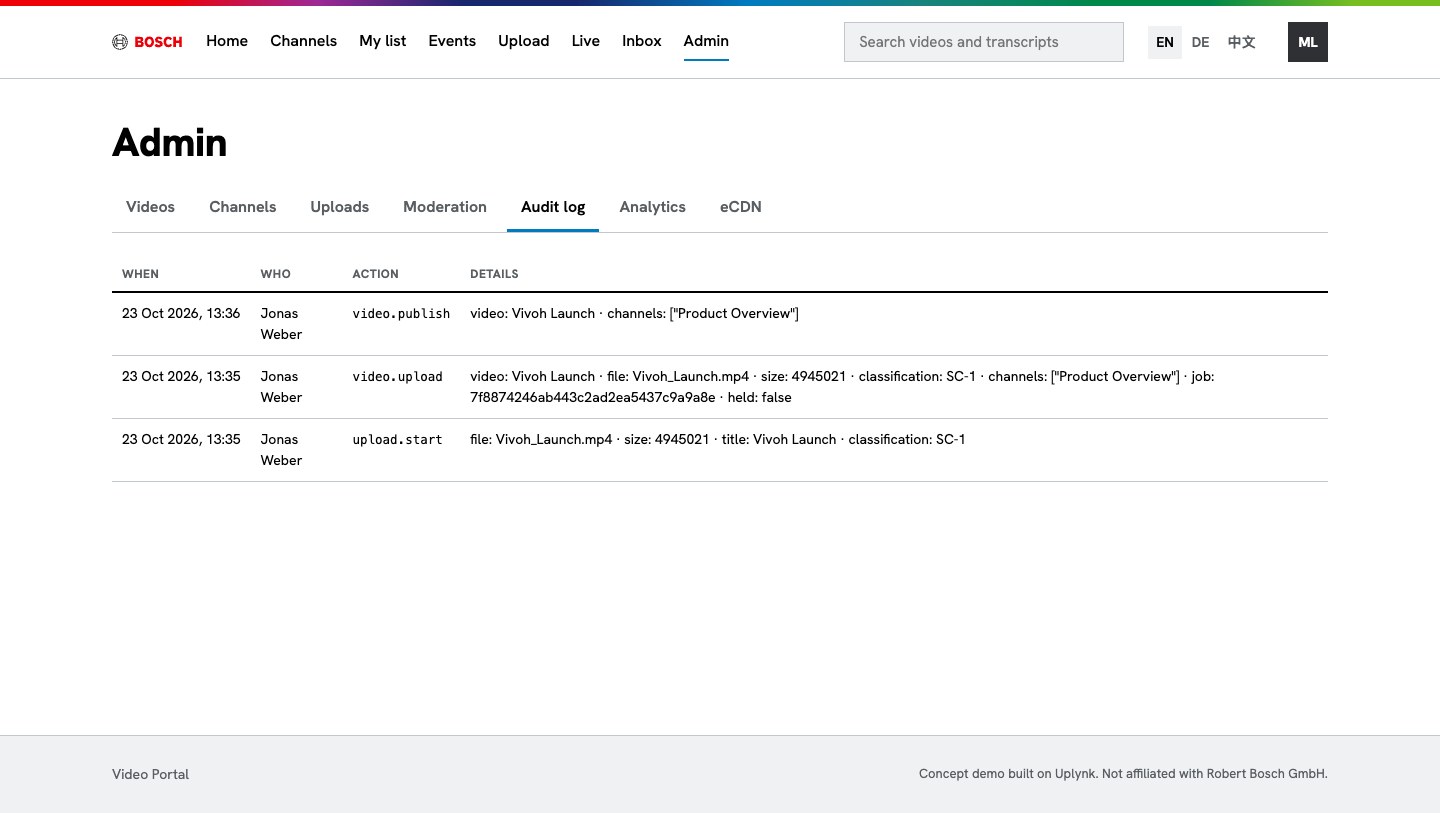
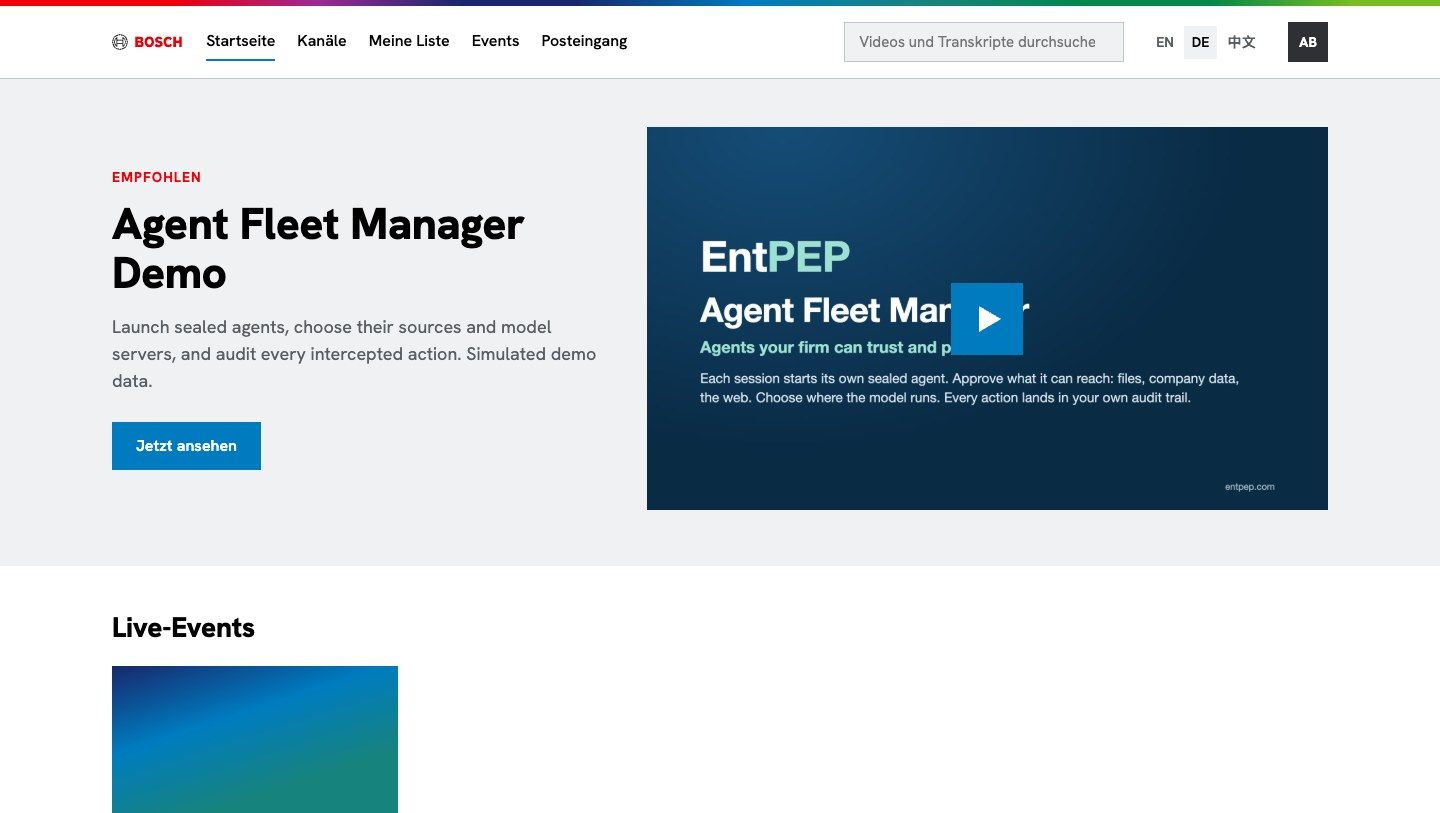
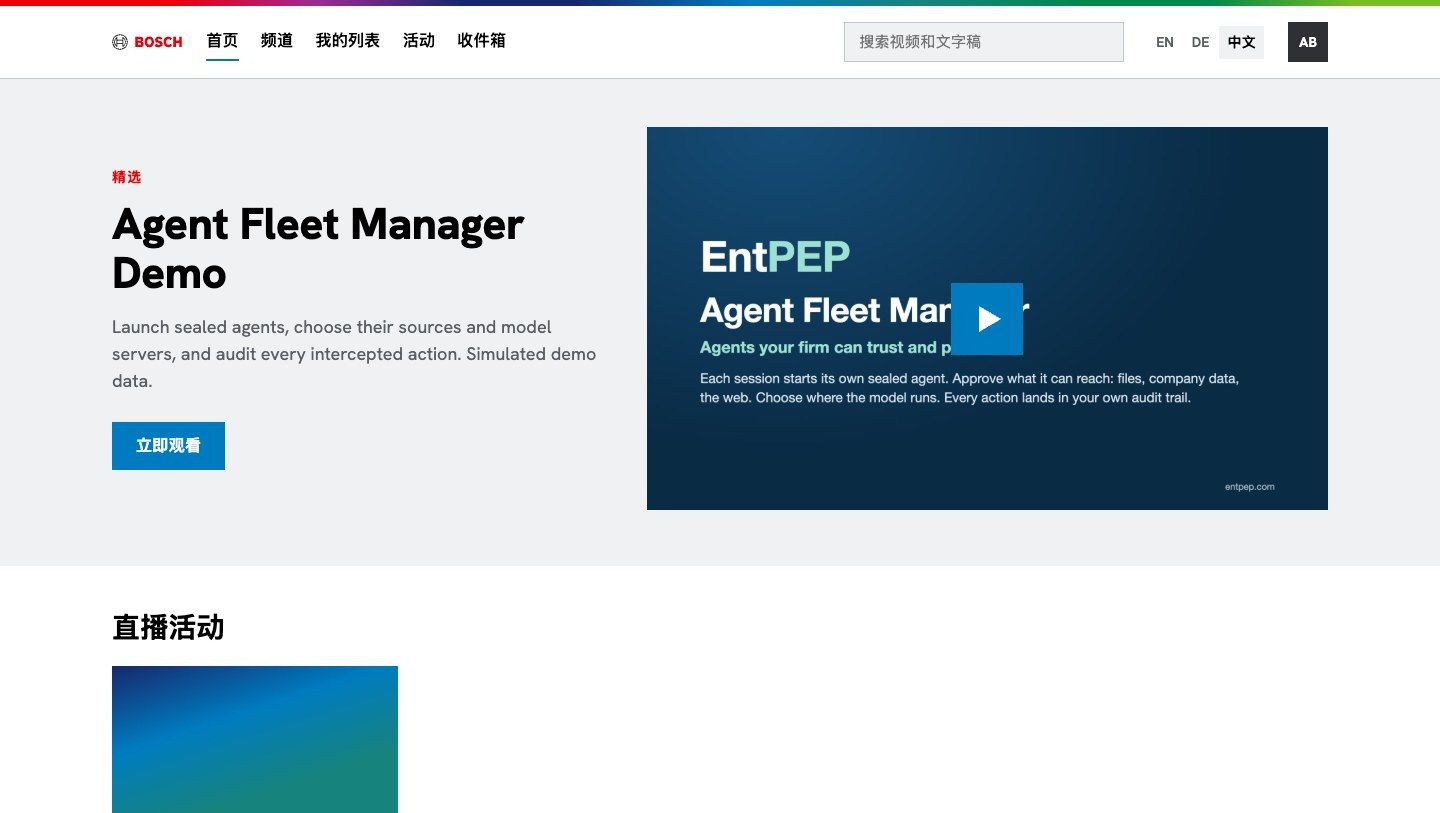
Your brand, your domain, your languages
The Bosch portal is one theme of the same product. Yours carries your logo, colors, fonts and domain, and speaks your employees' languages.
Built on a broadcast-grade video cloud
Slicing, adaptive HLS, signed playback tokens and live slicers, via the Uplynk API.
Runs at the edge on Cloudflare: your domain, your theme, your languages.
Microsoft Entra ID SSO, roles from groups, Conditional Access.
Office edge caches on your Linux servers, steered by Pathfinder.
Two minutes, no sound needed
A silent walkthrough of the platform, from the viewer's home page to the office eCDN under a flash crowd.
PDF Download the pitch deckThe platform, the roles and a rollout plan, in a few pages to share with your teamYour company's video platform, live in weeks
We set it up with your SSO, your theme and your first live event, then add office caches where your people are.